Design Crochet: A Walk-through for First‑time Users
Find an Easier Way to Create Crochet Diagrams
Have you ever wanted to make a crochet diagram and struggled to learn how?
Design Crochet is a brand new platform for crocheters where you can take your crochet patterns to the next level. With this new design tool you will be able to transform your written instructions into a simple and easy to follow diagram that will add a new dimension to your designs.
Wondering how to turn written crochet patterns into beautiful, accurate diagrams? Step inside the world of Design Crochet, where every stitch finds its place. This overview reveals how to harness the platform’s tools and features to transform your designs with clarity and precision.
Imagine being able to show, not just tell, how a project will come to life. Whether teaching, designing, or sharing, this tool opens a new way to visualize your craft. Let’s dive in.
Why Diagrams Matter
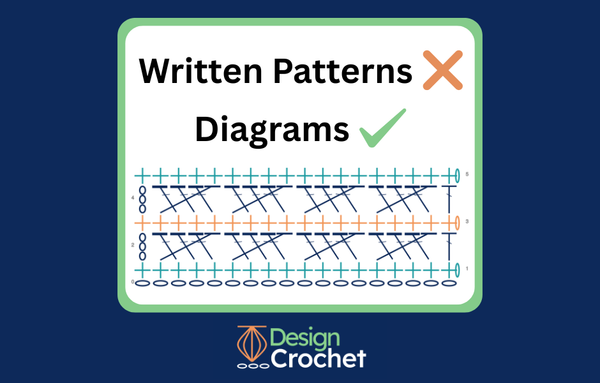
Adding a diagram to a pattern opens many doors. Some stitchers get tangled up in lengthy instructions and prefer a picture to navigate the creation of an item. Some need both the written words and the picture to make the process clear.
Either way, you can boost the clarity of your pattern by adding a diagram and creating that diagram just got easier.
When you familiarize yourself with the different tools available at Design Crochet you will be on your way to creating easy to follow, row-by-row diagrams that take the guesswork out of following patterns.
The diagrams are automatically generated from your text and appear in a format that is clear and concise. Designers, technical editors, pattern writers, and readers will all benefit.
Design Crochet was formed to pair technology with your artistry to bring you this tool! Let’s tour the site and find the help you need to get started.
Getting Started on the Welcome Page
Design Crochet’s Welcome Page contains the links you need to move around the sight and make use of all the tools we have to offer.
You can do a deep dive into the Design Crochet User Guide to learn the basics and then come back later and choose specific topics to focus on from the Quick Reference List.
Learn the Basics with the User Guide
The User Guide is a full and comprehensive how-to guide. Studying it will give you the knowledge you need to create diagrams.
The guide covers:
- Stitch Codes - the symbols used for each stitch
- Placement Codes - where each stitch will go in relation to the rows below
- Sequence Codes - symbols for repeating stitches
- Sequence Orientation - the direction in which your rows will be worked
Following the links within the guide will give you more detailed explanations and examples.
Understanding the Workspace
Beyond the basics of creating your Code there is a link in the Quick Reference List to Understanding the Workspace.
This section shows you how to:
- Set up a new project
- Enter the text of your rows
- Edit and manage your rows
- Save and restart your work
- Print or delete your work
- Get AI assistance for turning instructions into code (or code into instructions)
You’ll also find Tips and Codes, which link to every section in the User Guide to help you write efficiently.
Managing Your Projects
Your Projects can be accessed from the Welcome Page as well. Follow the prompts under Projects and either begin a new project, return to a previous project or even view all your saved projects. You can download and print them too!
For full details, see the section on Understanding the Workspace.
Calculate Yarn Needs with the Yarn Estimation Tool
As an added bonus there is a Yarn Estimation Tool available on the Welcome Page.
This feature helps you calculate exactly how much yarn your project will take based on your own swatch and chosen stitch types.
You can:
- Choose your units of measure (inches vs. centimeters, ounces vs grams, etc.)
- Calculate your yarn usage
- Estimate how many stitches will be in your project.
Get Inspired with the Community Stitch Dictionary
Need inspiration? Not sure what a stitch looks like or how to make that stitch?
Click Get Inspiration from the Community Stitch Dictionary. This section is the perfect place to:
- Learn new skills and stitches
- Explore the step-by-step instructions for all the elemental, modified and composite stitches
- Share your own stitch knowledge with others
Explore Stitch Tutorials
If you want to learn individual stitches, click Explore Stitch Tutorials.
Each entry includes :
- A clear Image and a Symbol for the stitch
- Written instructions and a video tutorial
- A difficulty level and stitch classification
Discover New Stitch Patterns
Scroll down to explore a wide variety of Stitch Patterns submitted by our team and the crochet community.
Each pattern includes:
- An image of the stitch
- Step-by-step instructions
- A stitch diagram
- The code used to create the diagram
- A video demonstration
Submit Your Own Stitch
Want to contribute to the growing stitch library?
At the bottom of the Stitch Dictionary page, click Submit a Stitch to share your own pattern and join the Design Crochet team.
We can all benefit from each other’s creativity and knowledge!
Stay Connected
As you can see, Design Crochet has quite a bit to offer—and the platform continues to grow!
You can:
- Follow us on Facebook and Instagram for updates
- Subscribe to our newsletter for the latest news and feature launches
Scroll to the bottom of the website’s Welcome Page for subscription links and to learn more under How it Works
Start Exploring Today
And, as promised, here is a direct link to the Design Crochet website where you can explore and read and even ask our knowledgeable team any questions that might come up!
Keep stitching - and thank you for reading!